-(2).png)
Can I Change the Color of the Default Text on My Photos?
The color of the default overlay text cannot be changed. However, a drop shadow is automatically applied to ensure the text remains visible, even on lighter backgrounds. See example below.

There is nothing you need to do for this effect—it is applied automatically.
Customizing or Replacing the Default Text
If you would prefer a different look, you can delete the default overlay text and add your own:
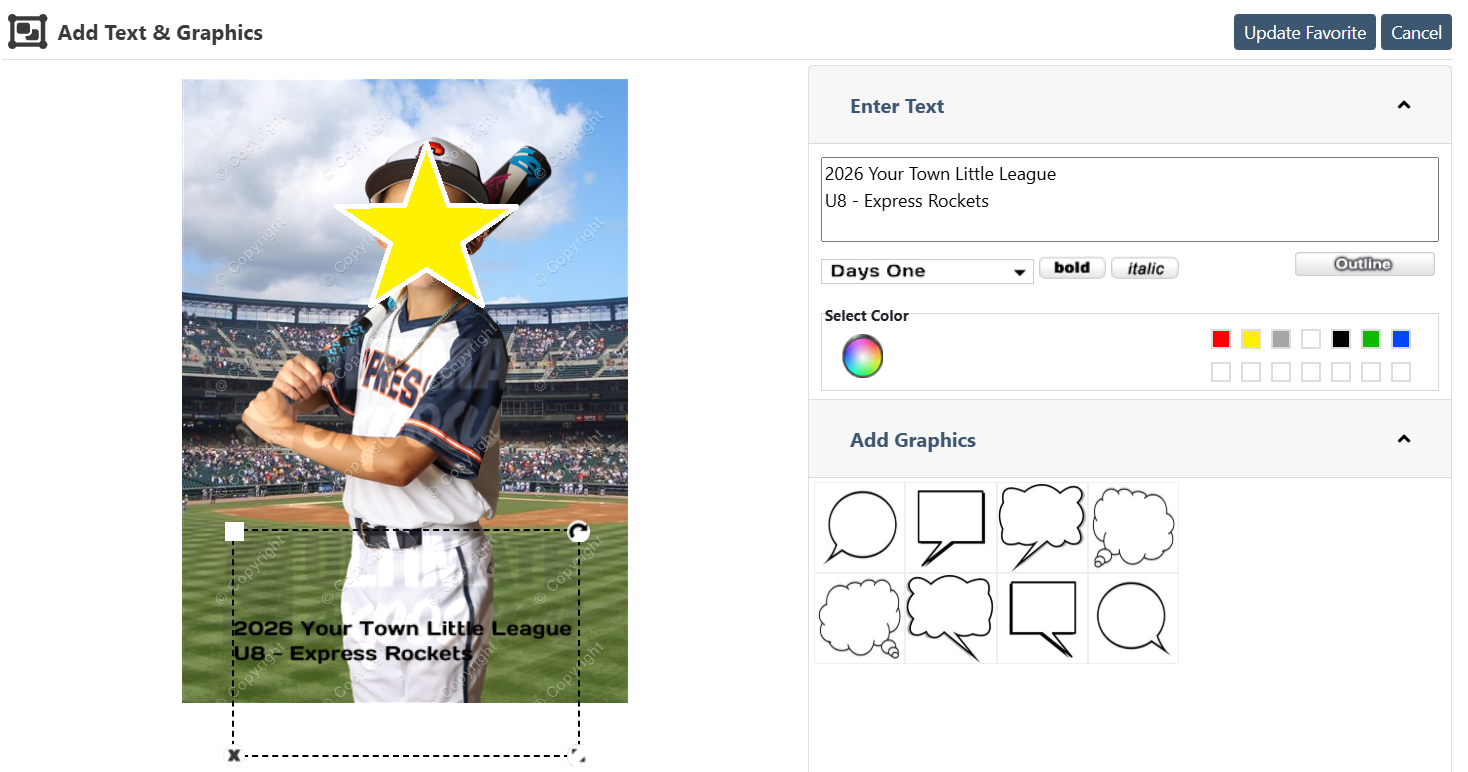
- While previewing your print, click the “Text & Graphics” button.
- Enter your custom text.
- Choose your preferred font and color.
- Drag and position the text anywhere on the image.
- Click Update Favorite button to confirm text and placement
Important Notes
- Sports orders: Logos cannot be moved to a different location.
- If you choose to use the Text & Graphics feature and later decide you do not like the result, a reprint fee will apply to replace the prints.